PyDash
Weekend motorsport is expensive enough. Time to change that
Not Just the Dash
PyDash is a linux-based, open-source, digital dash with some big options included in a small budget. PyDash is also a whole ecosystem. Making the hardware is relatively easy but without a supporting user interface, its behind a technical gate.
The PyDash package includes everything needed for the motorsport enthusiast to design and display the data that’s important to them.
- Linux OS
- Custom PCB
- 3D Printed Enclosure
- Python Dash Application
- Dash Designer Desktop App
Big Features on a Small Budget
The path to making the PyDash started out for two simple reasons:
- Traditional steam gauges weren’t enough
- Commercial digital dashes were too much
When picking out gauges for a track car, there were two options; use traditional steam gauges and miss out on data logging and dynamic warnings/display features OR spend a significant amount of money fitting in a modern digital dash to a car that only needs two hot wires to run. There had to be a better compromise.
The initial proof of concept for the PyDash borrowed ideas from commercially available options with two goals:
- Achieve near functional parity at fraction of the price
- Make it adaptable and Open-Source
Powered by RaspberryPi and Python
Early proof of concepts for the PyDash used microcontroller based processors. This proved functional but feature-limited. Additional test revisions before switching to a Pi-based system on chip (SoC) improved the latter but were still not as visually rich as modern offerings. Enter the RaspberryPi.
PyDash is powered by a Compute Module 4 (CM4). The compute module boards provide a compact, all-in-one solution ready to mount onto a custom PCB. Another added benefit is the widespread community support available for the RaspberryPi ecosystem.
Operating System
Initial prototyping using the default Raspberry Pi OS image was sufficient for development of the proof-of-concept but a better long-term solution was needed.
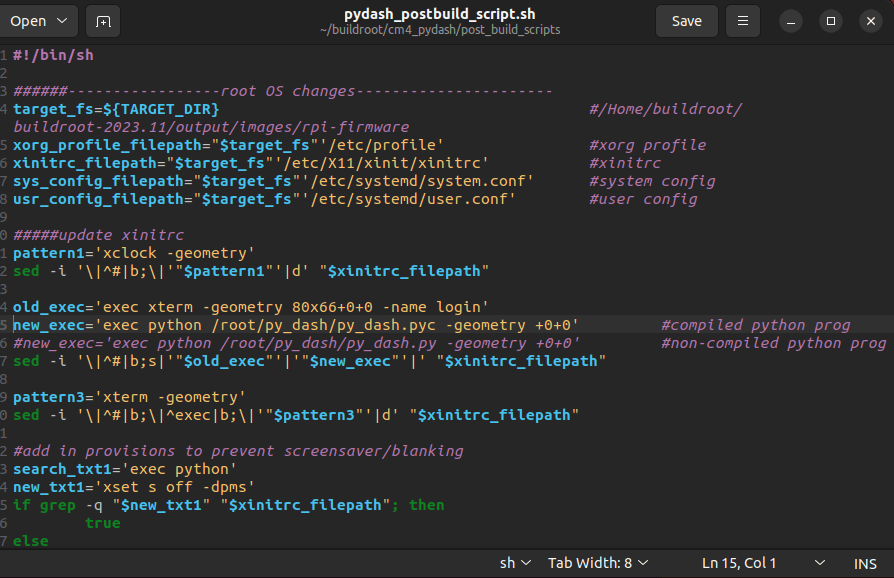
To help minimize the overall file size, increase performance, and streamline install, a custom operating system image was created through buildroot. While not explicitly required, several key benefits were possible through troubleshooting a custom compiled kernel:
- Reduced File Size
- Customizing the file system means only the required dependencies are included. This helps reduce start-up processing overhead and overall required file size.
- Easy Install
- In addition to modifying the kernel, the PyDash app itself is also included in the read-only portion of the root FS. No extra installation or configuration is needed, simply flash the image and upload a configuration file to have a functional dash!
- No need to determine which packages are needed, all the hard work has been done ahead of time.
- Automatic Launch
- No mouse and keyboard required; the PyDash automatically launches on start-up and uses the uploaded configuration file to build the display at runtime.
- Improved Boot Time
- By removing unnecessary dependencies and optimizing the required boot daemons, boot time was reduced to approximately 20s from power on, to functioning dash.
- The RaspberryPi 4 is limited by its bootloader start-up routines, so ultimate boot time is more than the pi3 but still vastly improved over a full featured OS image
- Increased Robustness
- Configuring the root FS as read-only with a user overlay FS for the dash configuration information means that any unexpected power-downs won’t corrupt the display.
Circuit Board
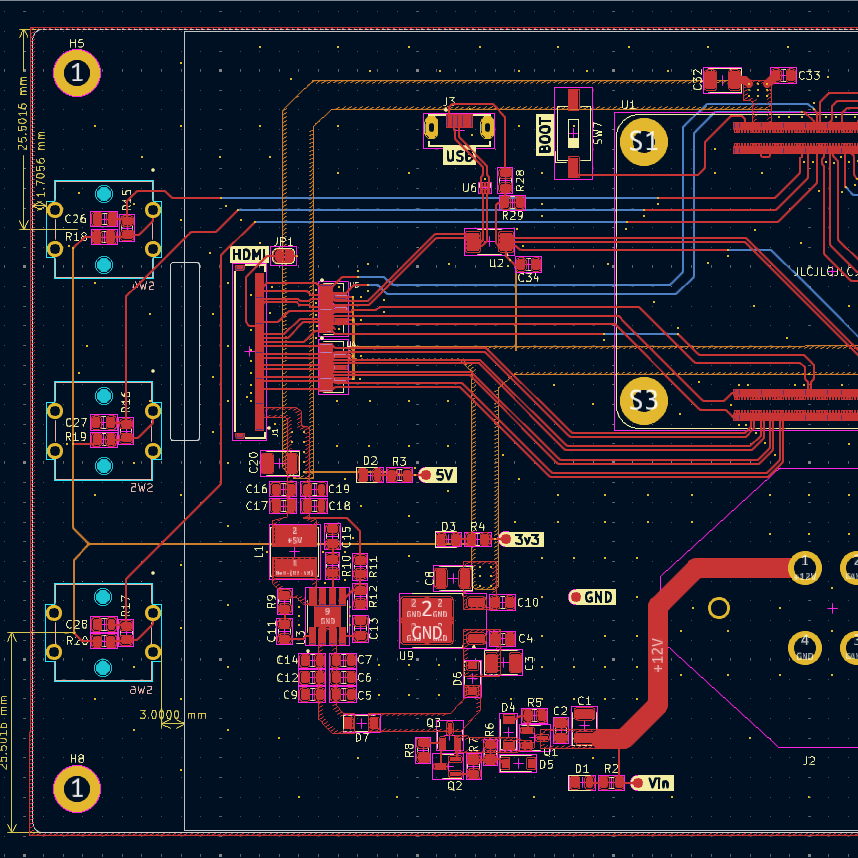
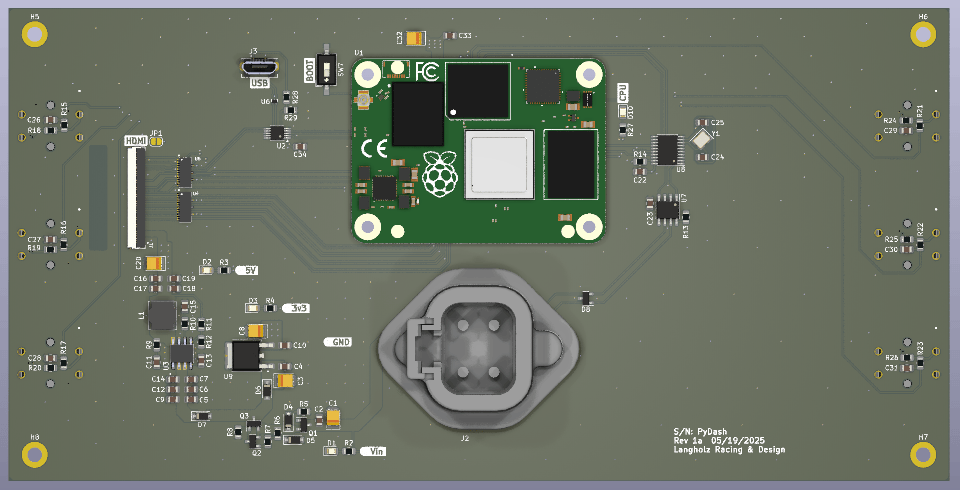
KiCad was used to design the board and while everything the PyDash uses is relatively low speed, the built-in tools helped to ensure proper HDMI and USB impedance on a 4-layer board.
A robust power supply starts with a 12V buck converter to supply the HDMI screen and CM4 with a 5VDC supply. This is also complimented with a 3v3 LDO for other on-board peripherals that draw significantly less power.
Mechanical provisions for securing the board in the enclosure and fasten the CM4 to the board ensure that everything stays in place for a high-vibration environment.
Enclosure
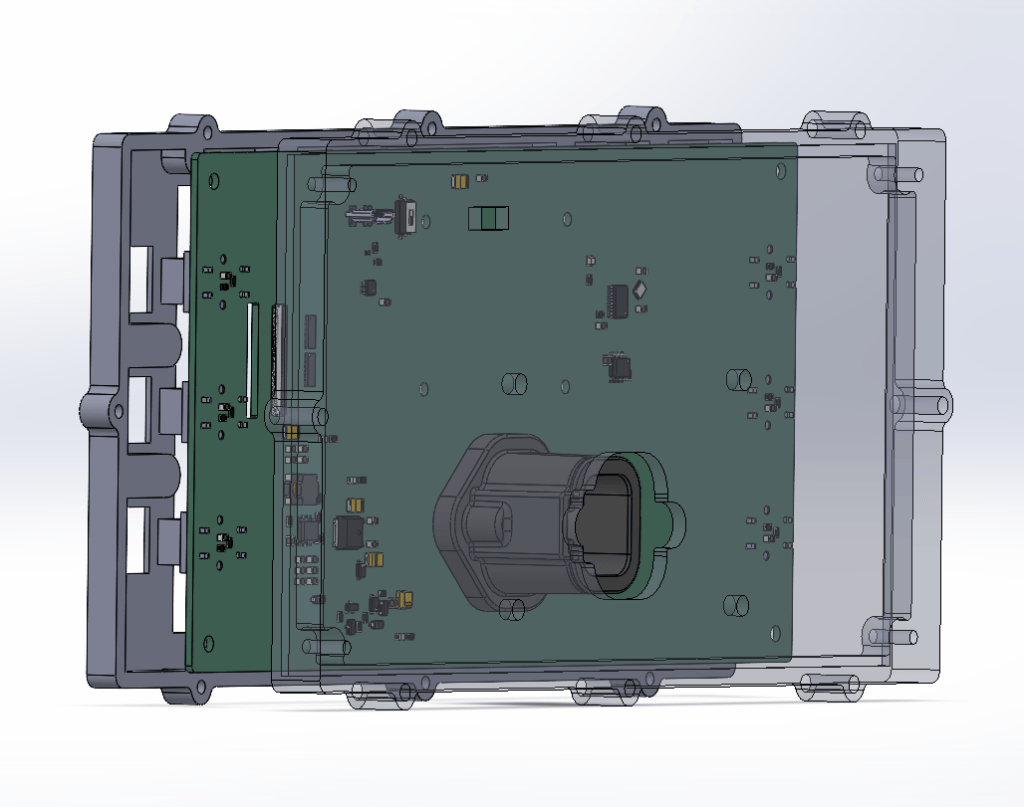
3D printers have changed how we prototype. Featuring a slim, clam shell design, the two halves index to one another and the PCB to ensure a consistent fit.
The screen is mechanically fixed to the PCB but finished by a bezel on the front of half of the enclosure. The two halves are held together by button-head fasteners.
Enclosure design focused on an easily accessible, utilitarian design. The additional post-processing needed to bond the mounting bosses to the rear of the case was an intentional trade-off for an easier print
Dash Application
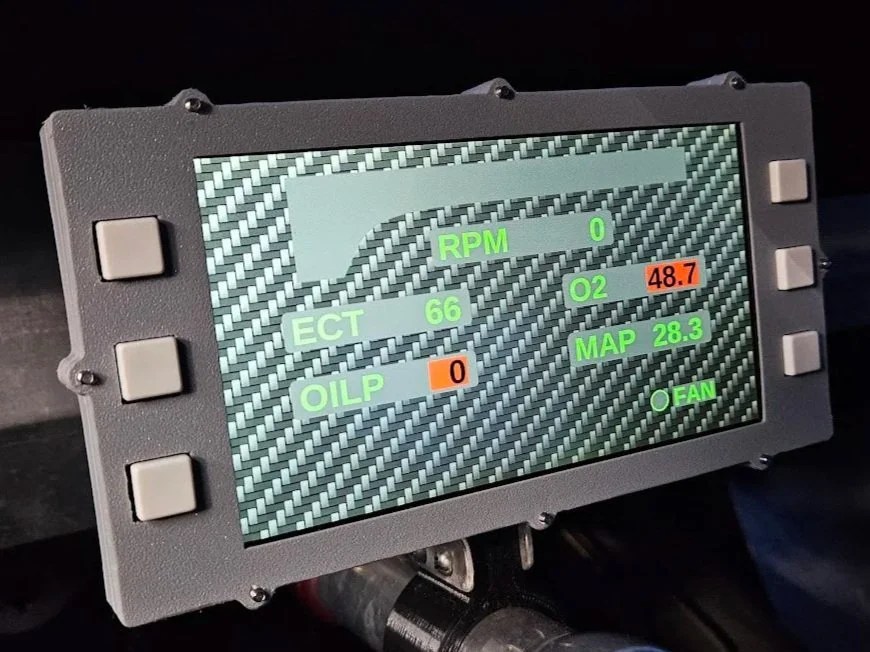
Complied with the PyDash OS image is the python application that controls what’s displayed on the dash. The app generates a user-configurable layout at runtime based on the uploaded configuration file. Users can use the buttons surrounding the dash to navigate multiple pages of dash displays. Each page uses several core widgets to keep track of information:
- Static Labels
- Just like the name implies, these are static defined labels; great for adding context to displayed information
- Data Labels
- Data labels are the real heavy lifters; linked back to a data channel, these display the real value you care about like pressures, temperatures, speeds, and levels
- Bar Indicators
- Not interested in the exact value but need to see a relative range at a glance? Bar indicators are the perfect fit. Define the expected min and max values and the bar indicator will change with size to fit that range
- Bullet Indicators
- Just want to know if something’s on or off? Bullet indicators are as simple as it gets; “dummy lights” for the digital display
The bullet indicators might be dummy lights, but the data widgets know exactly what they’re doing. Each data label and bar indicator can also be configured to change color based on their defined “warning” and “danger” limits. The bright yellow background is an easy “warning” reminder to wait and do the 2-step check until the oil is up to temp.
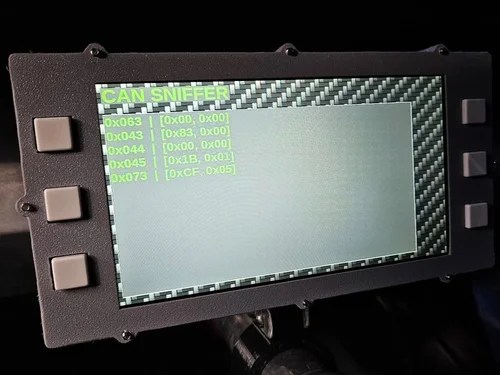
Users also have access to a configuration menu to change the backlight brightness, refresh the dash display, and access the raw CANbus data through a built-in CAN sniffer.
Desktop Dash Designer App
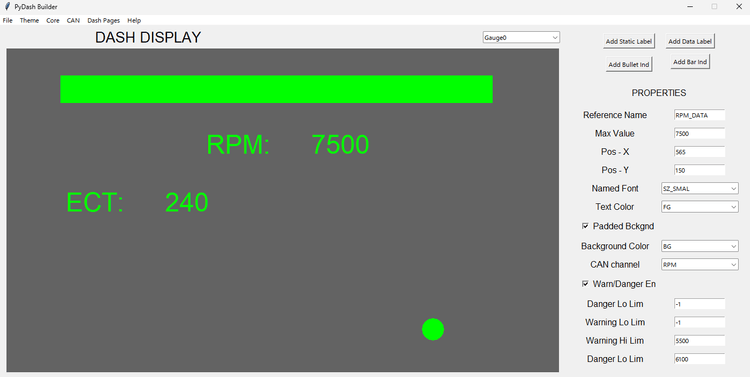
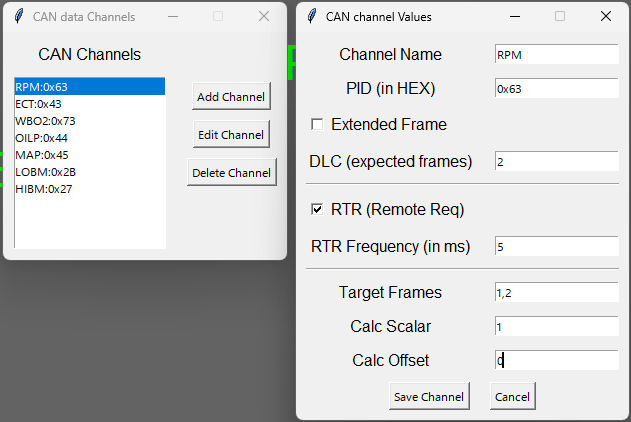
Configuring how the dash looks and acts shouldn’t need a computer science degree. The PyDash Builder is a python based editor that allows users to build, save, and generate a PyDash configuration file. This program is a python application that provides a graphical environment for users to build the various elements that make a dash display:
- Custom themes including fonts, colors, and images
- CAN channels to get data
- Multiple dash pages with different labels and data
After defining inputs, users can use the editing pane to create or edit how the PyDash looks. Individual elements can be clicked/dragged into position or manually edited in the properties pane.
Once the design is complete, a built-in validation check is performed before generating the configuration package (XML file and required images) that is then uploaded to the PyDash over USB.
